
No products in the cart.
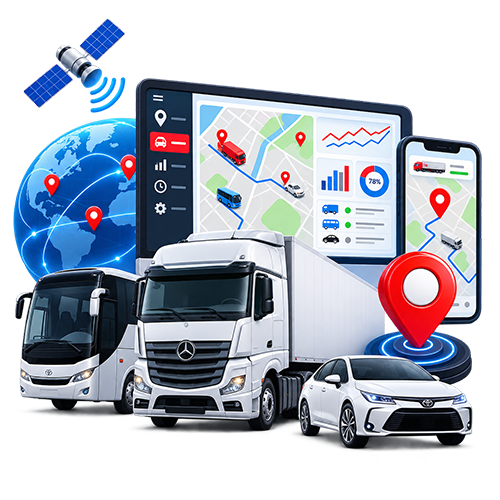

Choosing a GPS tracker for cars in Afghanistan can be confusing. One supplier quotes a low device price. Another offers an installed package. Two trackers may look almost identical, yet one uses 2G and the other uses 4G. A sales demonstration may show fuel reports or immobilization even though those features require extra sensors, wiring or a different subscription.
This guide helps private car owners and fleet managers make a clear decision. It explains how car tracking works, compares selected Teltonika, Queclink, Coban and Ruptela devices, describes installation and service costs, and gives you a practical checklist for buying. It also explains when a basic tracker is enough and when a more advanced device makes sense.
The right solution is not necessarily the most expensive tracker. It is the combination of suitable hardware, a compatible SIM, careful installation, useful software and reliable support. A device that is well matched to your vehicle and regularly tested on your routes can be more valuable than a complex unit whose features you never use.
What is a car GPS tracker?
A GPS tracker is a small electronic device installed in a vehicle. It receives positioning signals from satellite systems, calculates the vehicle’s location and sends records to a server through a mobile connection. Authorized users view those records in a phone app or web dashboard.
The platform may display the last reported position, direction of travel, speed, ignition state, completed trips, stops and alerts. What it actually shows depends on the hardware, installation and service plan. A device advertised as supporting a feature does not mean that the feature is active in every installation.
Think of a tracking system as a chain. The positioning receiver must obtain a useful location. The device must have power. The SIM must connect to a suitable network. The server must receive and process records. Finally, the app must make the right information available to your account. A weakness at any point can make a good tracker seem unreliable.
How GPS tracking works on Afghan roads
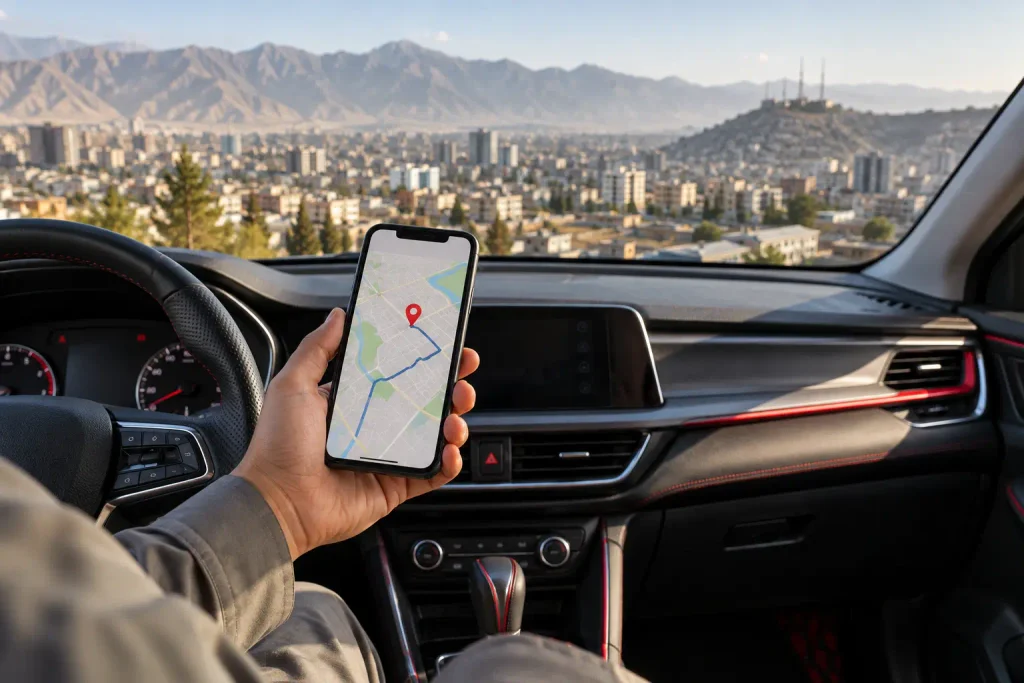
Many people assume that a GPS tracker needs a mobile signal to know where it is. Satellite positioning and data transmission are different functions. The tracker can determine a position from satellites when reception is available, while the mobile network is generally used to send that position to the platform.
If the vehicle enters an area without usable mobile coverage, the location shown in your app may stop updating. Some devices can store records and transmit them later when connectivity returns; ask about the behavior of the exact model and configuration proposed to you. Never assume that a displayed map pin represents the car’s current location without checking its timestamp.
Afghanistan adds practical considerations. A car may operate mainly within Kabul or travel between provinces. Routes may pass through areas with changing cellular coverage. A SIM that performs well in one location may behave differently elsewhere. Before buying, tell the provider where the car actually travels and ask which network and device variant it recommends for those routes.
The location itself also has limits. A tracker can show where a vehicle was reported, but poor satellite reception, tunnels, covered parking and dense surroundings can affect precision. A responsible provider should explain these limits instead of promising that every position will always be exact to a fixed number of meters.
Who benefits from a car tracking system?
Private owners often want to check where a car is parked, follow a trip and receive alerts about unexpected movement. A simple, reliable device may satisfy these needs without numerous external sensors.
Families may want to share access among authorized members. If several people use the car, agree on who can see trips and how alerts will be handled. A tracking account should be protected with a strong password and access should be removed when it is no longer needed.
Small businesses may track a handful of cars used by sales staff or service teams. Trip history, geofences and working-hour alerts can reduce repeated phone calls and help verify completed visits.
Larger fleets may need vehicle groups, several user roles, maintenance reminders and reports across branches. For them, software usability and support may matter as much as the hardware model. Read Sahil Tracking’s fleet management guide when planning a company-wide system.
Essential features to check before buying
Live location with an update timestamp
Ask for a demonstration on an installed car. The platform should show the vehicle’s latest reported location and the time of the last update. If the car has been offline for an hour, you should be able to see that clearly. A map icon without an obvious timestamp can lead to wrong assumptions.
Update frequency also matters. A provider may configure a tracker to report more frequently while driving and less frequently while parked. Frequent updates use more mobile data and can produce more records. Discuss the level of detail you need rather than asking for the smallest possible interval without considering the service design.
Trip history and playback
Trip history should help answer where a car went, when it started and stopped, and how long a journey took. During a demonstration, ask to open a completed trip, not only the live map. Check whether stops and departure times are easy to understand.
Ask how long records remain accessible under your plan. A fleet manager who investigates monthly expenses may need a different retention period from a private owner who checks only recent trips. Put the agreed retention term in the written quotation.
Ignition and movement events
Ignition status usually depends on the device configuration and installation. Movement can also be detected through positioning or built-in motion sensing. These events can support useful alerts, such as a vehicle moving late at night, but they should be tested in the actual car.
An alert is only useful if somebody receives and acts on it. Decide who should be notified, during which hours, and what they should do. For a business, avoid sending every minor event to every manager; excessive notifications make important events easier to miss.
Geofences
A geofence is a virtual boundary around a place. It might cover a home, office, parking area, warehouse or project site. The system can record or alert when a vehicle enters or exits it.
For example, a service company can confirm when a car reaches a customer area, while a private owner can monitor departure from a regular parking location. Geofences work best when their boundaries are chosen carefully. A very tight boundary around a building may create unwanted alerts because location readings can vary.
Speed and driving information
Speed alerts can help a fleet manager identify driving that exceeds a chosen limit. Some systems can also report harsh driving events using device sensors and configuration. Treat these reports as prompts for review and coaching. An isolated reading should be interpreted with its trip context before an accusation is made.
For a private owner, speed alerts may be less important than location and security. Do not pay for a complicated driver-scoring package unless it answers a real need.
External-power and tamper alerts
Some devices can warn when external power is disconnected. A backup battery may keep the device operating for a limited period, depending on its capacity and charge. Ask the installer to explain exactly what the tracker does if the vehicle battery is disconnected.
Power loss is not always evidence of tampering. It could result from vehicle maintenance, a loose connection or an electrical fault. Investigate the cause before drawing conclusions.
2G versus 4G: a critical buying decision
The letter in a Teltonika model name is not enough for a buyer to understand the device. Check the exact model specification. The FMB920, FMB122 and FMB125 are 2G devices, while the FMC130 is a 4G LTE Cat 1 device. The FMC920 is also a 4G option listed on Sahil Tracking’s site.
A 2G device can still be useful where suitable 2G service is available and supported. A 4G tracker may be a better choice for a new installation when the chosen model, regional radio bands and local network are compatible. Neither label guarantees a live signal on every road.
Ask these questions: Which cellular technologies does this exact unit support? Which frequency bands does its regional version use? Which operator and SIM will be installed? Has the proposed combination been tested where my vehicle travels? What happens when the mobile network is unavailable?
Do not confuse a device’s 2G fallback with its main 4G service. Likewise, do not assume that a 2G-only device will somehow use 4G because the SIM is marketed as a 4G SIM. The tracker’s modem must support the technology.
Teltonika FMB920: compact 2G tracking
The FMB920 is a compact Teltonika tracker often considered for basic vehicle tracking and security applications. Its size can suit a discreet car installation. It has an internal backup battery, and its functions can be configured for vehicle events and reporting.
Its key purchasing consideration is cellular technology: the FMB920 is a 2G model. If a seller recommends it for your car, ask why 2G is appropriate for the routes and service life you expect. An existing fleet may continue using working 2G devices while planning a gradual upgrade; a new buyer should compare current 4G options as well.
A private owner who wants location, trips and selected alerts does not automatically need more hardware interfaces. If the FMB920 meets those needs and connectivity is acceptable, its compact form may be sufficient. If fuel sensors or multiple external systems are required, discuss a device chosen for those connections.
Teltonika FMB122: another 2G installation option
The FMB122 is a 2G Teltonika vehicle tracker. It belongs to a different hardware arrangement from the FMB920, so an installer may select it for a particular fitting or antenna requirement. What matters to the buyer is the reason for choosing it in the actual car.
Ask the installer to show where the unit will be positioned, what it will connect to, and how performance will be tested. The model number alone does not tell you whether an alert, relay or sensor is included in your package.
If you are replacing an older tracker with an FMB122, check whether your existing SIM, accessories and software configuration can be reused. Migration may involve more than exchanging one unit for another. For a new purchase, compare the total 2G package with a suitable 4G alternative before deciding.
Teltonika FMB125: serial connections for advanced projects
The FMB125 is a 2G tracker with RS232 and RS485 interfaces. Those interfaces are relevant when a project must connect compatible external equipment, subject to technical integration. The FMB125 may therefore be discussed for a more specialized fleet installation rather than a basic private-car package.
For an owner who only wants to see a car on a map, extra interfaces do not automatically create extra value. For an organization planning a compatible sensor installation, they may be important. Ask which accessory will use each connection and whether the platform displays the resulting data correctly.
Do not treat the presence of an RS485 port as proof that a vehicle already has fuel monitoring. A sensor still has to be selected, installed, calibrated and integrated with reporting software. Because the FMB125 uses 2G, confirm connectivity as carefully as you would for the FMB920.
Teltonika FMC130: flexible 4G fleet tracking
The FMC130 is a 4G LTE Cat 1 tracker designed with flexible inputs for more involved installations. It can be worth evaluating when a company wants vehicle events, appropriate external accessories or a planned upgrade path beyond simple location reporting.
Ask the provider to define the complete proposed installation. Which inputs are connected? Is ignition detection wired? Will a relay or sensor be added? Which information will appear in the app? A hardware specification lists possibilities; a quotation should state what is included.
An FMC130 can be more than an ordinary car owner needs. Choosing it makes sense when its capabilities solve a defined problem. When comparing it with a basic tracker, consider installation time, accessories, subscription and maintenance along with the device itself.
Teltonika FMC920: compact 4G car tracker
Sahil Tracking lists the Teltonika FMC920 as a compact 4G LTE tracker with 2G fallback. Its product page describes location, ignition detection, route history, speed and geofence alerts, among other supported features.
For a private car needing location and security-oriented alerts, it is a device worth discussing. Ask to see the specific software plan and installed configuration that you would receive. If you need optional immobilization, clarify the extra components, installation and safe operating procedure.
The site currently displays $45 for the FMC920 hardware. That figure should not be presented as the price of an entire tracking service. Device availability and displayed prices can change, while installation, SIM/data and software charges need to be quoted for your package.
Quicklink GPS trackers: verify the exact model
Buyers sometimes encounter Quicklink vehicle trackers such as GV-series models. A model number that resembles a device from another manufacturer does not establish that the products are identical. Ask the supplier to identify the manufacturer, exact model, hardware revision and official documentation for the unit being offered.
The practical questions are familiar: Does its cellular modem work with the intended operator? Does the tracking platform support its protocol? What alerts and inputs have been tested? Can the seller demonstrate the actual device in a vehicle? These checks matter more than a generic claim that a unit is “compatible with all platforms.”
If Quicklink hardware is already installed in your fleet, perform a pilot migration before moving every vehicle to a new platform. Confirm location, ignition, trip records and any connected accessories. Different protocol implementations can expose different sets of data.
Queclink GV30CEU: compact LTE tracking
Queclink GV30CEU is presented by its manufacturer as a compact LTE Cat 1 vehicle tracker with 2G fallback. It is an example of a device designed for straightforward vehicle tracking, although the final result still depends on the regional variant, network and platform.
Ask the installer to show the complete model code. Confirm the cellular bands on the supplied unit and test it with the proposed SIM. If you want a relay or another connected component, do not assume it is included merely because an advertisement lists possible use cases.
Queclink is a hardware manufacturer, not the complete tracking service by itself. The app, data retention, alerts, customer account and after-sales support come from the provider’s integrated package.
Queclink GV56 and other fleet models
The GV56 family is often discussed for more involved tracking applications and accessory integration. However, “GV56” alone may be insufficient to describe the exact version being offered. Request the full model designation, manufacturer documentation and a list of functions tested on your selected platform.
A fleet buyer should ask whether required sensor data, driver identification, alerts or other events are supported by both the device and the software. If an accessory communicates with the tracker, verify the supported accessory model and a working report in the dashboard.
Also consider installation and serviceability. A sophisticated tracker may require a technician familiar with its configuration. That is acceptable when the fleet gains useful data, but it should be accounted for in the deployment plan and cost.
Coban GPS 403CD, GPS403C and GPS403D: identify the unit first
The Coban GPS403 series appears in several names and variants, including references to 403C, 403D and 403CD. Sellers’ listings are not always consistent. Do not copy specifications from one 403 variant and assume they apply to another.
Before buying, photograph the label and packaging, record the full model designation and ask for documentation corresponding to that specific unit. Confirm its mobile bands, supported voltage, input and output connections, backup battery and platform protocol. Have the supplier demonstrate the device online with the SIM you intend to use.
Some listings describe engine-control or fuel-related alarms. Such descriptions require careful interpretation. A control output is not the same thing as an installed, safe immobilization system. An alarm described as “fuel theft” does not prove that a calibrated fuel-level sensor is included. Ask exactly which measurements or signals trigger the event.
For existing Coban fleets, test a sample device before bulk migration or replacement. Check the exact 403 variant, firmware behavior, commands, reporting and compatibility with the receiving software.
Ruptela Eco5: a compact fleet-oriented option
Ruptela Eco5 is a compact tracker with LTE variants and 2G fallback, Bluetooth Low Energy and multiple input/output options. Ruptela offers housing variants suited to different environments. This can make Eco5 relevant both to ordinary vehicles and more demanding field installations.
The model’s options can support a flexible package, but buyers should ask which exact version and accessories are quoted. A rugged housing, a connected sensor and a standard car installation should not be treated as one identical product.
For a fleet, discuss how the platform handles driver events, geofences, power alerts and any additional sensor data. A good demonstration should show those reports on a real test vehicle, not only screenshots from a manufacturer brochure.
Ruptela Pro5: advanced heavy-vehicle applications
Ruptela positions Pro5 for heavy vehicles, buses and specialized machinery. Its CAN and other interfaces can support more advanced vehicle-data projects when the vehicle and integration are compatible.
That does not make Pro5 the automatic choice for a private Corolla or sedan. Many owners will be better served by a simpler unit that provides location, trips and security alerts. Pro5 becomes more relevant when a transport fleet has defined requirements for vehicle data, accessories or complex reporting.
If your project involves trucks, tankers or construction machines, ask the provider to validate each vehicle type separately. “CAN compatible” does not guarantee that every vehicle exposes the same data, nor that the selected platform can display every desired parameter.
Ruptela Trace5 and older installations
You may encounter Trace5 in an existing deployment or a supplier’s older catalogue. It has been used for compact vehicle tracking, but availability should be checked before designing a new project around it. Ruptela has described Eco5 as the next-generation basic-segment device taking its place.
An existing Trace5 does not necessarily need immediate removal if it is working and supported. Review its cellular version, configuration, account access and maintenance needs. When planning replacements, compare the actual cost and benefits of migration instead of assuming that a newer model alone will fix a weak SIM or poorly configured platform.
Comparing the devices by job, not by brand
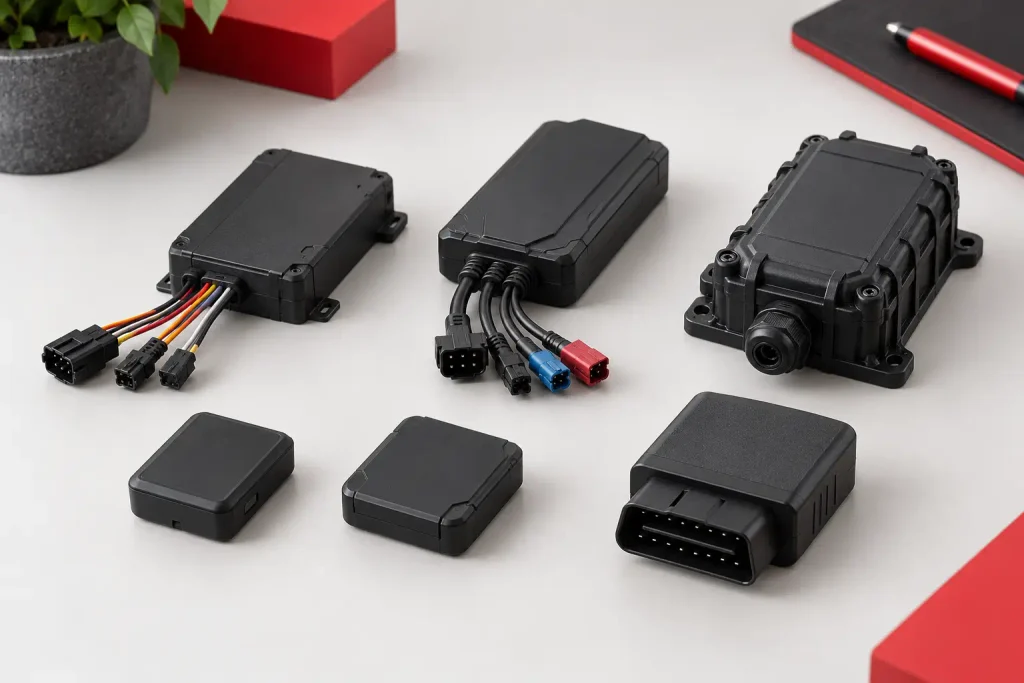
Use the table below to begin a conversation with your installer. It does not replace checking the exact order code and software compatibility.
| Need | Models to discuss | Main question |
| Basic private-car tracking | FMB920, FMC920, GV30CEU, Eco5 | Which connectivity and installed package best suits my routes? |
| Existing 2G fleet | FMB920, FMB122, FMB125 | Is the current network suitable, and what is the upgrade plan? |
| Flexible wired inputs | FMC130 or an appropriately equipped alternative | Which inputs and accessories will actually be installed? |
| Serial sensor project | FMB125 or a compatible advanced model | Is the exact sensor supported and calibrated? |
| Compact LTE installation | FMC920, GV30CEU, suitable Eco5 version | Has this regional variant been tested with the SIM? |
| Heavy-vehicle project | Ruptela Pro5 or another validated heavy-vehicle device | Which data can this vehicle and platform really provide? |
| Existing Coban deployment | Exact GPS403 variant | Can the platform decode and display all required records? |
Do not interpret a brand comparison as a ranking of reliability. Performance depends on genuine hardware, correct installation, firmware, mobile coverage and technical support.
What does fuel monitoring actually require?
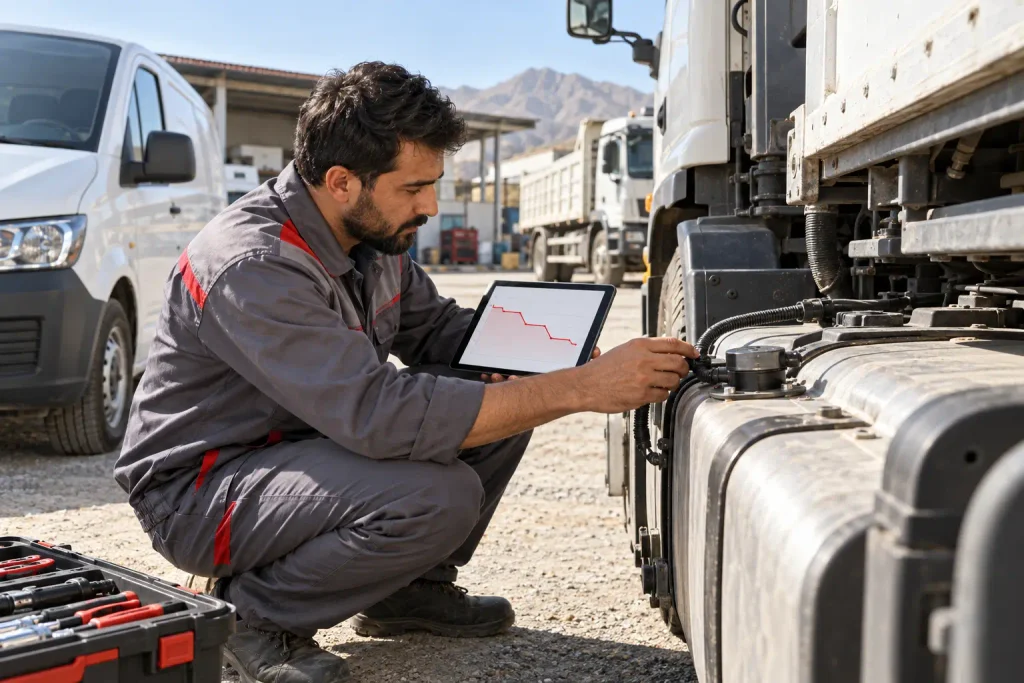
Fuel monitoring is often the most misunderstood part of GPS tracking. GPS measures position, not liquid in a tank. A location tracker can reveal route length, engine-idling events and unauthorized trips that may contribute to fuel waste. It cannot directly tell you that the tank contains a particular number of liters without additional suitable data.
One method estimates consumption from distance or configured assumptions. It can help with broad comparisons but should not be described as a physical tank measurement. Another method uses vehicle-reported information where the vehicle, connection and software support it. A third uses a dedicated fuel-level sensor installed and calibrated for the tank.
Fuel-level projects need special care. Tank shape, vehicle movement, filling behavior, electrical connections and calibration can affect readings. Ask what level of accuracy is expected for your particular tank and how the provider will validate the result. No honest supplier should promise identical performance for every vehicle without inspecting the installation.
If you need to investigate possible fuel theft, ask for a sample report showing the tank-level trend, event time, location and vehicle state. A sudden reading alone can have several explanations and should be reviewed in context. Learn more in our fuel monitoring article.
Can a GPS tracker help reduce fuel costs without a sensor?
Yes, but describe the benefit accurately. Even without a tank sensor, trip and vehicle-activity data can show avoidable driving, extended idling, route deviations and unnecessary use outside working hours. A fleet manager can compare this information with fuel receipts and vehicle assignments.
For example, a company with ten service cars may find repeated long waits with engines on or overlapping journeys that could be scheduled differently. The tracker makes those operating patterns visible. Savings depend on how the company changes dispatching, maintenance and driver practices afterward.
For a private owner, route history may help identify unusual use of the car. It does not provide a precise fuel bill by itself. If exact refuelling events and tank changes are the main goal, discuss a suitable sensor and the added cost before buying.
Remote immobilization and vehicle safety
Some trackers can work with an output and an appropriately installed relay or other control arrangement. This is frequently advertised as “engine cut-off,” but it should never be treated as a simple app button that is safe in every situation.
Ask a qualified installer what circuit would be affected, how the installation behaves if the tracker loses power, and which users can issue a command. Create an operating policy for emergencies and protect access to the account. Never activate immobilization to stop a moving vehicle.
For many owners, the first priority is a reliable alert and response process. If an alert arrives, verify the vehicle’s status and contact the appropriate people. A security feature is valuable only when it is installed and used responsibly.
The real price of a GPS tracker in Afghanistan
There is no single fair price that applies to every car. A small hardware listing, an installed private-car package and a fleet contract include different things. Ask suppliers for an itemized first-year and renewal quotation.
Hardware: Identify the exact model and whether you own it after purchase. Check whether its listed price includes any accessories. Sahil Tracking currently lists an FMC920 at $45 as hardware; this should not be confused with a full installed service.
Installation: Confirm whether wiring, mounting, activation and a road test are included. More involved accessory installations may cost more than a basic tracker fitting.
SIM and data: Ask who supplies the SIM and who pays ongoing mobile charges. A data connection is fundamental to live online tracking.
Platform: Confirm app and web access, number of authorized users, history retention, alerts, reports and the subscription period.
Renewal and support: Ask what you will pay after the first term and what happens if you do not renew. Clarify the hardware warranty and how faults are handled.
A low device price can be attractive, but a complete comparison must include these services. Conversely, an expensive quote should explain the additional value it provides. Written terms protect both the buyer and the installer from misunderstanding.
Example of a fair quotation checklist
Request a quotation that states: vehicle model; tracker brand and full model code; cellular technology; SIM provider; installation location; included alerts; history-retention period; software subscription start and end dates; first-year amount; renewal amount; warranty; and contact details for technical support.
If fuel monitoring is required, add the sensor model, tank inspection, calibration method, expected reporting, warranty and service plan. If immobilization is required, add the components and safe operating procedure. If several vehicles are involved, state the rollout schedule and how each completed installation will be accepted.
This level of detail is not paperwork for its own sake. It allows you to compare two proposals that otherwise look similar but deliver very different systems.
Professional installation: from inspection to handover
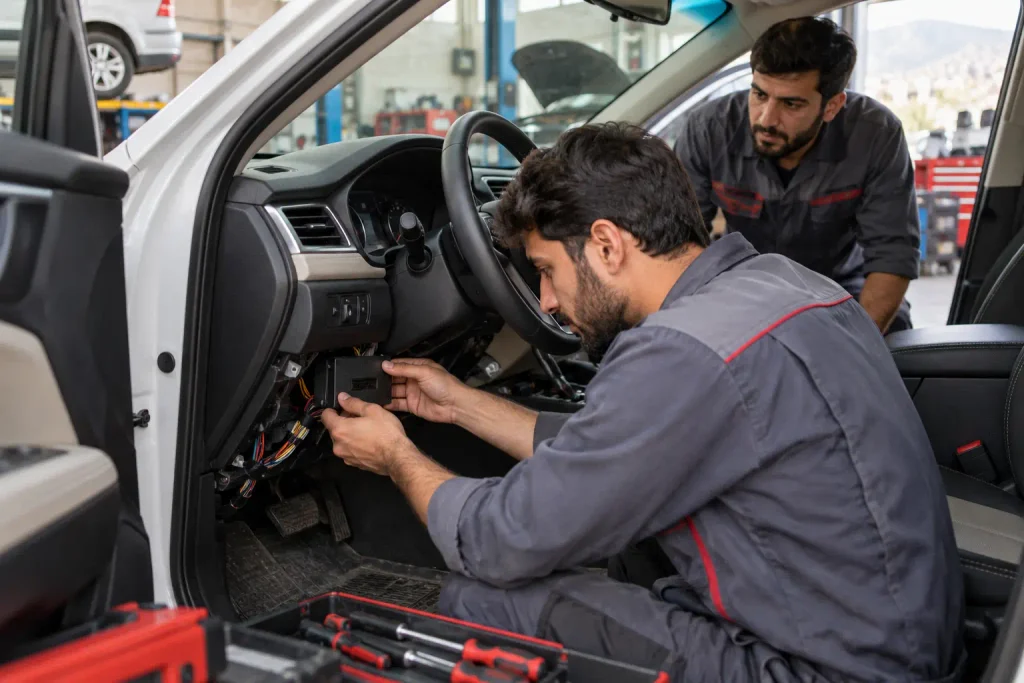
An installation should begin with a short needs assessment. The provider checks the vehicle type, your routes and the desired features. It then chooses an appropriate tracker and prepares the SIM and platform account.
Next, a qualified technician installs the device according to its documentation and the vehicle’s electrical requirements. The device should be secured and its connections protected. Any external antenna, relay or sensor should be installed according to its own requirements. Unnecessary disturbance to vehicle wiring should be avoided.
Configuration follows installation. The technician sets reporting intervals, ignition behavior, vehicle identification, alerts and authorized account access. A stationary check alone is insufficient; a short real-world trip can reveal whether positions, ignition changes and trip history are recorded properly.
At handover, sign in on your own phone. Ask the installer to show the current update timestamp, a completed journey and a relevant alert. Save the support contact and ask when your service expires. A photograph of the installer’s dashboard does not replace access to your own account.
What to do if the tracker stops updating
First check the timestamp of the last location. A car that has been parked for a long time may report less frequently under its configuration. If it has been moving but its timestamp remains old, record the time, vehicle name and last shown place before contacting support.
Possible causes include limited mobile coverage, an inactive SIM, loss of vehicle power, device configuration, platform connectivity or an installation fault. A useful support team should be able to narrow these causes systematically. Repeatedly replacing hardware without diagnosing the SIM and wiring may leave the same problem unresolved.
Fleet managers should maintain a simple offline-vehicle process. Identify vehicles that have not reported within the expected period, contact the driver if appropriate, then investigate the device. A dashboard is most useful when somebody regularly checks it.
Privacy, access and responsible use
A vehicle tracker reveals sensitive movement information. Give access only to people who need it. Use unique account credentials, remove access promptly when a staff member leaves, and review who receives alerts.
Businesses should tell drivers how company vehicles are monitored and which records managers use. A clear policy can describe business-hours tracking, authorized private use, retention and who may review a journey. Such clarity helps prevent misunderstandings and encourages consistent use of the system.
Do not publish screenshots that expose home addresses, live vehicle locations or customer routes. When sharing an example with a prospective buyer, use a demonstration account or remove identifying details.
How to test a provider before committing your whole fleet
For a fleet purchase, start with a small pilot representing different vehicle types and routes. Install the proposed hardware in one city car and one car that travels longer distances, if those are both part of your operations.
During the pilot, check live positions, reporting timestamps, a complete trip, geofence alerts, mobile connectivity and account permissions. If accessories are included, test their actual reports. Ask a manager and a driver for feedback about the usefulness and reliability of the information.
Document issues, correct the configuration and retest the specific failure. Only then expand to the remaining vehicles. This approach reduces the chance of discovering a platform or network mismatch after dozens of installations.
Which device should a private car owner choose?
Start with your intended result. If you want to know where the car is and where it travelled, prioritize a compact tracker, suitable connectivity, a clear app and responsive support. Compare a 4G option such as FMC920 or another suitable LTE model with any proposed 2G device.
If your car is regularly parked in a monitored location, configure a useful movement or geofence alert. If a second family member needs access, confirm that the plan permits another authorized login. Ask to see parked-car and moving-car behavior before accepting installation.
Do not purchase a more complex serial-interface device merely because it sounds professional. Likewise, do not buy the cheapest device without checking the total service and renewal costs. The best private-car package is the one you can operate confidently every day.
Which device should a business choose?
A business should begin with reporting needs. Does it need daily trip summaries, assigned drivers, after-hours alerts, branch geofences or maintenance reminders? Which staff may see which vehicles? How quickly must an offline tracker be investigated?
Then select devices for vehicle classes. A sales car may need straightforward location and trip reports. A truck with a fuel sensor may need a different device and integration. Specialized machinery may call for another installation method. Trying to fit one hardware model to every asset can either waste money or omit necessary data.
Agree on naming conventions and dashboard responsibilities before rollout. A clear fleet account, reliable SIM management and installation records make scaling easier than a collection of devices added without a plan.
Questions to ask a GPS tracking company
- Which exact brand, model and regional variant will you install?
- Is that unit 2G, 4G LTE Cat 1, LTE-M or another cellular type?
- Which operator and SIM will it use on my usual routes?
- What does the full first-year price include?
- What is the renewal price and what stops if I do not renew?
- How long can I view trip history?
- Which alerts will be active after installation?
- Can I see a demonstration of my actual package?
- Who owns the device and who controls the main account?
- What happens when the car is outside mobile coverage?
- Is a fuel sensor included, or are fuel values only estimates?
- Are optional control features installed and safely configured?
- What warranty and support do you provide?
- Can my company add users with different permissions?
- How will you prove that installation passed its tests?
Keep the answers with the quotation. A clear supplier should welcome precise questions.
Common mistakes when shopping for a tracker
Comparing only the box price: The app, SIM, installation and support may cost more over time than the initial hardware. Compare the complete period of service.
Assuming 2G and 4G models are interchangeable: A SIM cannot give a 2G-only modem 4G capability. Check the device itself and the proposed mobile network.
Assuming every advertised function is included: Hardware may support a feature that requires an accessory, wiring, software setting or additional plan. Ask for an itemized list of active functions.
Accepting a screenshot instead of a live test: Check your own account on your own phone after a real trip. A demonstration from a different vehicle or package is not enough.
Buying fuel monitoring without defining the measurement: Decide whether you need estimated consumption, vehicle-reported data or measured tank level. These are different products.
Ignoring support after installation: SIMs can fail, cars can be serviced and alert preferences can change. The ongoing relationship matters.
Frequently asked questions
Can I track my car from another province or another country?
You can sign in from anywhere your phone has internet access, provided your account is active. The vehicle must also be able to transmit its records through a compatible mobile network. If the vehicle itself has no connection, the map may show its last reported position until data arrives.
Does GPS tracking work when the car is switched off?
Many hardwired devices remain powered while the ignition is off, but behavior depends on wiring, sleep settings and the vehicle battery. Ask the installer to demonstrate the parked-car behavior of your actual package.
Does the tracker require a SIM?
Most vehicle trackers that report to an online platform use a SIM or other cellular connection. Confirm whether SIM provision and data charges are included in the service quotation.
Is FMB920 a 4G tracker?
No. Teltonika identifies FMB920 as a 2G tracker. If 4G is required, discuss an appropriately specified alternative such as FMC920 or another compatible model.
Is FMB125 better than FMC130?
They serve different needs. FMB125 provides particular serial interfaces but is a 2G model. FMC130 is a 4G LTE Cat 1 model with flexible inputs. The better choice depends on network suitability and the specific equipment being connected.
Can a Coban GPS403CD use the same settings as every GPS403?
Do not assume so. Confirm the unit’s exact variant, documentation, bands, firmware and platform protocol. Similar names in online listings do not guarantee identical hardware.
Can a tracker prevent theft?
Tracking and alerts can help you notice unexpected movement and provide location information for a response. They cannot guarantee theft prevention or recovery. Security also depends on account protection, installation and the owner’s response plan.
Can I remotely stop my car?
Only some correctly equipped and installed systems support an appropriate immobilization arrangement. Confirm the exact implementation and safe operating rules. Never attempt to stop a moving car.
Will every tracker show exact liters of fuel?
No. GPS location alone cannot measure tank contents. Measured fuel level normally requires a compatible sensor and calibration; other methods may provide vehicle-reported or estimated values.
Is a 4G tracker always online?
No. It still depends on the mobile operator, supported bands, antenna, SIM, power and coverage. Check the last-update timestamp whenever live location matters.
How much is a car GPS tracker in Afghanistan?
The total varies with model, installation, SIM/data, software term and optional accessories. Sahil Tracking’s FMC920 product page currently shows a $45 hardware price, but you should request an updated quotation for a complete installed service and renewal.
Can one account show several vehicles?
Many fleet platforms can show multiple vehicles under one account. Ask how vehicles are grouped, whether extra users are allowed and what each user can see.
Which tracker is best for a company fleet?
Choose after defining the vehicle classes, routes, alerts, reporting and sensor needs. A simple car may need a different configuration from a truck or machine. Test the proposed combination in a small pilot before fleet-wide installation.
Conclusion: choose a working service, not a model name
A GPS tracker for cars in Afghanistan can provide valuable location, trip and alert information when the complete system is designed well. Teltonika FMB920, FMB122 and FMB125 are 2G options with different hardware roles. FMC130 and FMC920 offer 4G choices. Queclink and Ruptela have compact and advanced vehicle families. Coban GPS403 devices require especially careful confirmation of the exact variant offered.
Begin with your goal, your vehicle and your usual routes. Compare complete first-year and renewal prices. Ask which features are actually installed, test your own app after a real trip, and choose a provider that can support the system afterward.
To discuss a device for your car or fleet, request a current written quote from Sahil Tracking or call +93 711 717 700.